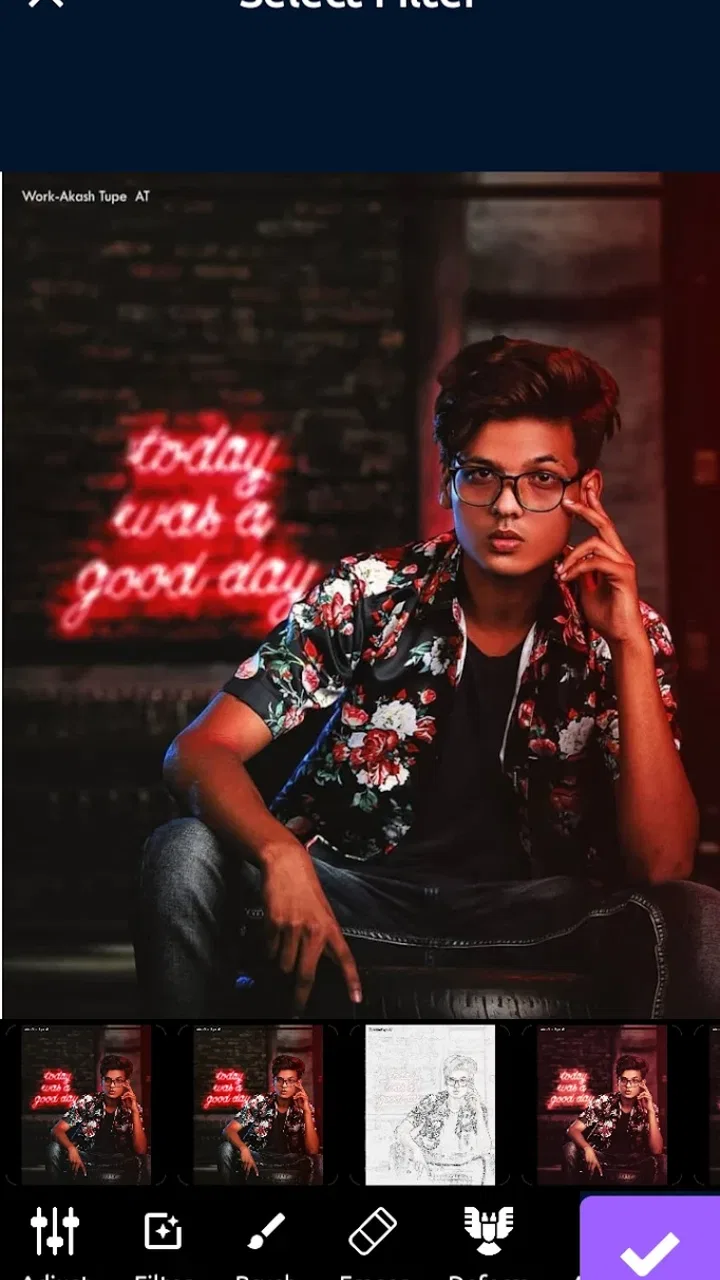
Beauty Shop : AI Photo Editor
- 4.2
- Rating
- 1.00M
- Installs
- Free
- Price

 Analysis by App-foxy
I approached Beauty Shop: AI Photo Editor as a practical beauty-editing app rather than a replacement for a full desktop editor. Its focus is clear: help you improve portraits and everyday photos with AI-assisted editing tools, then make the result presentable without requiring much technical knowledge. That makes it appealing when I want a quick visual change, but it also means I need to pay attention to how much editing I apply.
The app belongs to the Beauty category and is developed by Battery Stats Saver. It is free to install, with optional in-app purchases ranging from $0.99 to $99.99 per item. The free entry point makes it easy to test the workflow before deciding whether the extra options are worthwhile. I would still approach it as a tool for selective edits, not as a promise that every image will become better automatically.
How I use it from the first photo to the finished result
I use a simple sequence to keep edits deliberate: choose a clear portrait, make one change, then compare the result with the untouched photo before deciding whether to continue. That comparison helps me catch subtle changes that can become too strong after repeated tweaking. With the basic routine in place, the next thing I consider is how to recover smoothly when an edit or the app itself does not behave as expected.
You May Also Like

 AccuWeather: Weather Radar
AccuWeather Review: A Quick, Clear Forecast for Everyday Decisions
For everyday plans, the best forecast is the one you can understand quickly. AccuWeather makes rain timing, radar, and local conditions easy to act on, with a few trade-offs.

 Hill Climb Racing
Why Hill Climb Racing Still Turns Crashes Into One More Run
A tiny car, a bumpy hill and one more upgrade: Hill Climb Racing keeps resurfacing because its simple chaos makes every near-miss feel personal.

 AliExpress - Shopping App
AliExpress Makes Global Shopping Feel Personal, but Shoppers Bear the Risk
AliExpress turns a global marketplace into a pocket-sized discovery engine. Its reach is useful, its shopping loop compelling, and its trade-offs easy to miss.

 Lords Mobile: Kingdom Wars
Lords Mobile Is a Kingdom-Building Routine, Not a Quick Match
A case-by-case verdict on the building, battles, device demands, and social commitments that make Lords Mobile rewarding for some players and exhausting for others.

 PDF Scanner app - TapScanner
TapScanner Makes Paperwork Easier to Capture, Check, and Share
TapScanner makes scanning with a phone feel less like a rescue operation and more like a dependable step in getting work done. Its capture tools are useful, though not flawless.

 Block Blast!
 Shows How Much a Puzzle Game Can Leave Out
A quiet grid game shows why puzzle players increasingly value instant clarity, repeatable skill and low-pressure play—and where the genre still needs to catch up.
More From Our News Desk
View All News


A simple baseline workflow works best
My most reliable routine starts with one photo that already has reasonably clear lighting. I choose a portrait or beauty image where the face is visible and the composition is not too crowded. AI editing can help organize the visual result, but it cannot completely rescue a badly blurred subject, harsh shadows, or a face hidden behind an object. Starting with a usable image gives the app a much better chance of producing something natural.
After opening the image, I first look at the overall change rather than immediately stacking every available effect. This is an important habit with beauty editors because the first result can appear impressive when viewed quickly, while a closer look may reveal overly smooth skin, unusual facial edges, or a loss of texture. I prefer to make one meaningful adjustment, inspect the face at normal size, and only then continue.
The AI-based approach is especially convenient for people who do not want to learn masking, layers, or detailed color correction. Instead of spending time manually selecting parts of a face, I can begin with the app’s guided editing experience and judge whether the result fits the photograph. That convenience is the main reason I would recommend trying it before reaching for a more complicated editor.
For a realistic everyday example, imagine taking a quick portrait before meeting friends. The image may have decent framing but look slightly dull, with uneven skin tone or distracting small marks. I would use the app to make a restrained improvement, check the face against the original, and save the version that still looks like the same person. The goal is not a completely artificial makeover; it is a cleaner photo that remains believable when shared.
The most useful rule is to preserve identity before chasing perfection. A beauty editor should support the photograph, not erase the details that make the subject recognizable. I find that this mindset also makes the app easier to evaluate: if the result looks good only because it is heavily altered, the setting is probably doing too much.
Choosing the right image saves more time than extra editing
One of the less obvious advantages of a repeatable workflow is that it separates photo selection from effect selection. I look for a face with enough light, a reasonably steady camera position, and a background that does not compete with the subject. When several similar pictures are available, I pick the one with the clearest expression instead of automatically choosing the sharpest-looking file.
This matters because beauty adjustments can draw attention toward the face. If the expression is awkward or the eyes are partly closed, stronger editing will not solve the underlying problem. In practice, selecting a better starting image often produces a more convincing result than adding another correction.
I also recommend keeping the original photo untouched. I treat the edited copy as a separate version so I can compare the two without relying on memory. That comparison is useful after stepping away from the screen for a few minutes, since an effect that feels subtle at first can become obvious after repeated viewing.
What the app is good at in ordinary use
The app makes the most sense for quick portrait improvements, casual social images, profile-photo experiments, and people who enjoy trying different visual treatments without learning a professional editing suite. Its store summary emphasizes AI-based editing features and a broad choice for photo lovers, and my impression is that the appeal comes from that accessible, experiment-friendly approach.
I would not choose it first for detailed landscape work, precise product photography, or a project that demands consistent color across many images. Those tasks usually benefit from manual controls, repeatable presets, and close control over individual areas of a picture. Here, the attraction is speed and approachable editing rather than laboratory-level precision.
Settings and choices I check before trusting the result
When I use a beauty editor, I pay attention to the intensity of each change, the relationship between multiple effects, and the final appearance at the size where people will actually see the image. A face can look acceptable when zoomed out but become plastic or distorted when inspected closely. I therefore review the eyes, hairline, lips, jaw, and skin texture before considering an image finished.
If the app offers a choice between lighter and stronger treatments in the editing flow, I begin with the lighter option. This is not because stronger effects are always bad; they can suit creative portraits or themed images. The trade-off is that dramatic changes are less forgiving. They can also make the background and face feel as though they belong to different photographs.
I also consider the original lighting before adjusting the look. A warm portrait may benefit from a different treatment than a cool indoor image, and a highly polished effect can clash with a casual snapshot. I prefer edits that respect the direction and mood of the existing light rather than forcing every photo into the same appearance.
Another setting-related habit is to make changes in a deliberate order. I establish the general appearance first, then inspect smaller details, and finally decide whether the image needs anything else. Applying several changes at once makes it difficult to understand which adjustment helped and which one introduced a problem. A slower first pass usually leads to a faster final result.
Free access is useful, but expectations should stay realistic
Because the app is free to install, I can explore its basic workflow without committing money immediately. That is valuable for casual users who only edit photos occasionally. At the same time, optional purchases are part of the experience, so I would check what is available during normal use before building a regular editing routine around a particular option.
I would not assume that every visible tool or style is included at no cost. The practical question is whether the free experience already handles the kind of portrait work I need. If it does, the app remains a convenient lightweight choice. If my preferred workflow depends on paid options, I would compare that cost with a different editor that offers stronger manual control or a clearer long-term package.
Shortcuts that make repeated editing less frustrating
The fastest users are not necessarily the ones who move through every control quickly. They are the ones who repeat a small number of sensible decisions. I use a short checklist: choose a good source image, apply one main improvement, inspect the face at normal viewing size, compare with the original, and save only when the result still feels natural.
For a group of similar portraits, I avoid assuming that one treatment will suit every image. Even photos taken minutes apart can have different lighting or expressions. I use the same general starting point, then adjust each image separately. This preserves consistency without forcing identical intensity onto faces that need different treatment.
A helpful shortcut is to decide the destination before editing. A profile image, a private keepsake, and a playful social post do not need the same level of restraint. For a professional-looking profile photo, I keep changes conservative. For a creative post, I may accept a more noticeable style. Defining that purpose first prevents me from judging every image by the wrong standard.
I also avoid editing while distracted. Beauty adjustments are easy to overdo because the controls encourage experimentation. If I keep switching between effects without comparing against the original, I can lose track of the starting appearance. A quick before-and-after check is more valuable than another minute of random tapping.
Where AI assistance reaches its limits
AI can make editing approachable, but it does not remove the need for judgment. A tool may interpret hair, jewelry, glasses, hands, or a busy background imperfectly. These elements can make a portrait harder to edit cleanly, especially when they overlap the face. When an image contains several such complications, I would use a more manual editor or choose a simpler photo.
There is also a difference between correcting a distraction and changing a person’s appearance. Removing a temporary blemish may feel like a small cleanup, while altering facial proportions can change the character of the image. I treat those choices differently and ask whether the edit improves the photograph or merely pushes it toward an unrealistic standard.
Another limitation is consistency. An AI-assisted result can look excellent on one image and less convincing on another because the source conditions change. That makes the app less suitable for a large batch that must have a perfectly uniform visual identity. For occasional editing, this variability is manageable. For professional content production, it can become a reason to choose software with more controllable settings.
Privacy is also a consideration whenever I use any cloud-connected or AI-oriented photo service, although the practical details depend on the app’s current behavior and the permissions shown on the device. I would avoid uploading highly sensitive images until I had reviewed the app’s own permission prompts and privacy information. For ordinary portraits, that may be a reasonable precaution; for confidential material, I would favor a tool whose processing behavior I already understand.
Who should try it and who should skip it
I think Beauty Shop: AI Photo Editor is a good match for someone who wants approachable portrait editing, enjoys testing beauty effects, and prefers guided assistance over a complicated interface. It is also suitable for a user who wants to make occasional improvements without paying at the starting point. The Everyone content rating makes it broadly accessible, though the appropriate editing choices still depend on the person using the app.
I would be more cautious about recommending it to a photographer who needs exact retouching, a business that requires repeatable brand images, or anyone who wants deep control over masks, curves, layers, and export decisions. A traditional photo editor is likely a better fit in those cases. Likewise, if the main goal is organizing a large photo library rather than editing individual images, a dedicated gallery or photo-management app would be more suitable.
Device compatibility and the practical ownership picture
The app supports devices running Android 5.0 or later, which covers a wide range of Android hardware. Still, compatibility on paper does not guarantee the same experience on every phone. Older or less powerful devices may feel less comfortable when processing larger images or moving through several effects, so I would test it with the kind of photos I actually plan to edit.
The current version is 5.0.2, and I would keep the app updated through the normal store process when updates are available. That is especially sensible for an AI-focused editor, where behavior and available tools can change over time. I would also check the final image after an update rather than assuming my preferred result will look identical forever.
Its popularity gives it some reassurance for people who prefer an established download over an obscure experiment: it has more than a million installs and an average rating of 4.2 from roughly five and a half thousand ratings. Those figures suggest meaningful public use, but they do not replace personal testing. Beauty editing is subjective, and a result that one person finds flattering may look excessive to another.
My final view after building a repeatable habit
My experience with Beauty Shop: AI Photo Editor is positive when I use it for what it does best: quick, accessible portrait experimentation with AI-assisted tools. The strongest workflow is not to press every effect at full strength. It is to begin with a suitable photo, make one controlled change at a time, compare carefully, and keep the original available.
The app is less convincing as an all-purpose replacement for advanced editing software. Its convenience comes with trade-offs in precision, consistency, and the amount of control I can expect from a guided beauty tool. Users who understand those limits will get more from it than users who expect automatic perfection.
I would recommend giving it a careful trial if you want a free starting point for casual beauty edits and do not mind making your own decisions about intensity. I would skip it in favor of a more manual alternative when exact retouching, batch consistency, or sensitive-image handling matters most. For everyday portraits, though, a restrained workflow can turn it into a useful pocket editor rather than just another collection of flashy effects.
In short, the app rewards a light touch and a repeatable process. Use it to support a good photograph, not to disguise a difficult one, and its AI-based approach becomes much more practical. That is the difference between opening it for random effects and using it as a dependable part of a personal photo routine.
FAQs for Beauty Shop : AI Photo Editor
01What is Beauty Shop: AI Photo Editor used for?
Beauty Shop: AI Photo Editor is designed for enhancing portraits and selfies with AI-powered editing tools. After testing its main features, the app appears focused on skin smoothing, facial retouching, makeup-style effects, filters, and other visual adjustments that can make photos look more polished. It is suitable for quick social media edits, profile pictures, and experimenting with different beauty looks without requiring advanced photo-editing skills.
02Is Beauty Shop: AI Photo Editor free to download and use?
The app can generally be downloaded without an upfront payment, but some features may be limited or connected to advertisements, in-app purchases, or a premium subscription. Before editing extensively, check the pricing screen carefully because advanced effects, exclusive filters, export options, or an ad-free experience may require payment. Availability and pricing can also vary depending on whether you use Android or iOS.
03Does Beauty Shop: AI Photo Editor require an internet connection?
Some basic editing functions may work directly on your device, but AI-based tools often depend on online processing or downloaded effect packages. In practical use, an internet connection may be necessary for certain transformations, beauty effects, templates, or updates. If a feature does not respond offline, this is usually related to cloud processing rather than a problem with your phone. Mobile data charges may apply.
04Are photos uploaded to the cloud when using the app?
Privacy is an important consideration because AI photo editors may process images on remote servers, especially when applying automatic face enhancement or generative effects. Before importing personal photos, review the app’s privacy policy and permissions to understand how images are handled, stored, and deleted. Avoid uploading highly sensitive pictures unless you are comfortable with the stated processing practices and available privacy controls.
05Is Beauty Shop: AI Photo Editor easy to use for beginners?
The app is aimed at casual users, so its main editing workflow is relatively approachable. Most adjustments can be applied by choosing an effect and changing its intensity rather than manually editing every detail. Beginners should still preview results carefully, since strong smoothing, reshaping, or makeup effects can look unnatural. Saving an original copy before editing is recommended in case you want to compare or restore the unedited photo.
Pros
- AI tools quickly enhance portraits and improve overall photo quality.
- Beauty adjustments are easy to apply
- even for users without editing experience.
- Offers creative filters and effects for social media-ready images.
- Before-and-after previews make it simple to compare edits.
- A convenient all-in-one editor for selfies and beauty-focused photos.
Cons
- Some advanced tools may be locked behind a subscription or in-app purchases.
- Automatic retouching can sometimes make faces look overly smooth or unnatural.
- Results may vary depending on lighting
- image quality
- and facial details.
- AI processing can take longer on older phones or with larger photos.
- Privacy-conscious users may hesitate to upload personal portraits for processing.

Beauty Shop : AI Photo Editor
Gallery